
File an accident report
Summary: You will create an accident report from the Accidents list, choosing a track and completing the fields the platform requires before it can be filed.
Prerequisites
- A role that can create accident reports: Administrator, Supervisor, Manager, Investigator, Store Coordinator, or Regional/District Asset Protection Manager. (Store associates file through a separate confined form: see Submit an accident from the store floor.)
- Your organization must be entitled to Accidents.
Start a report
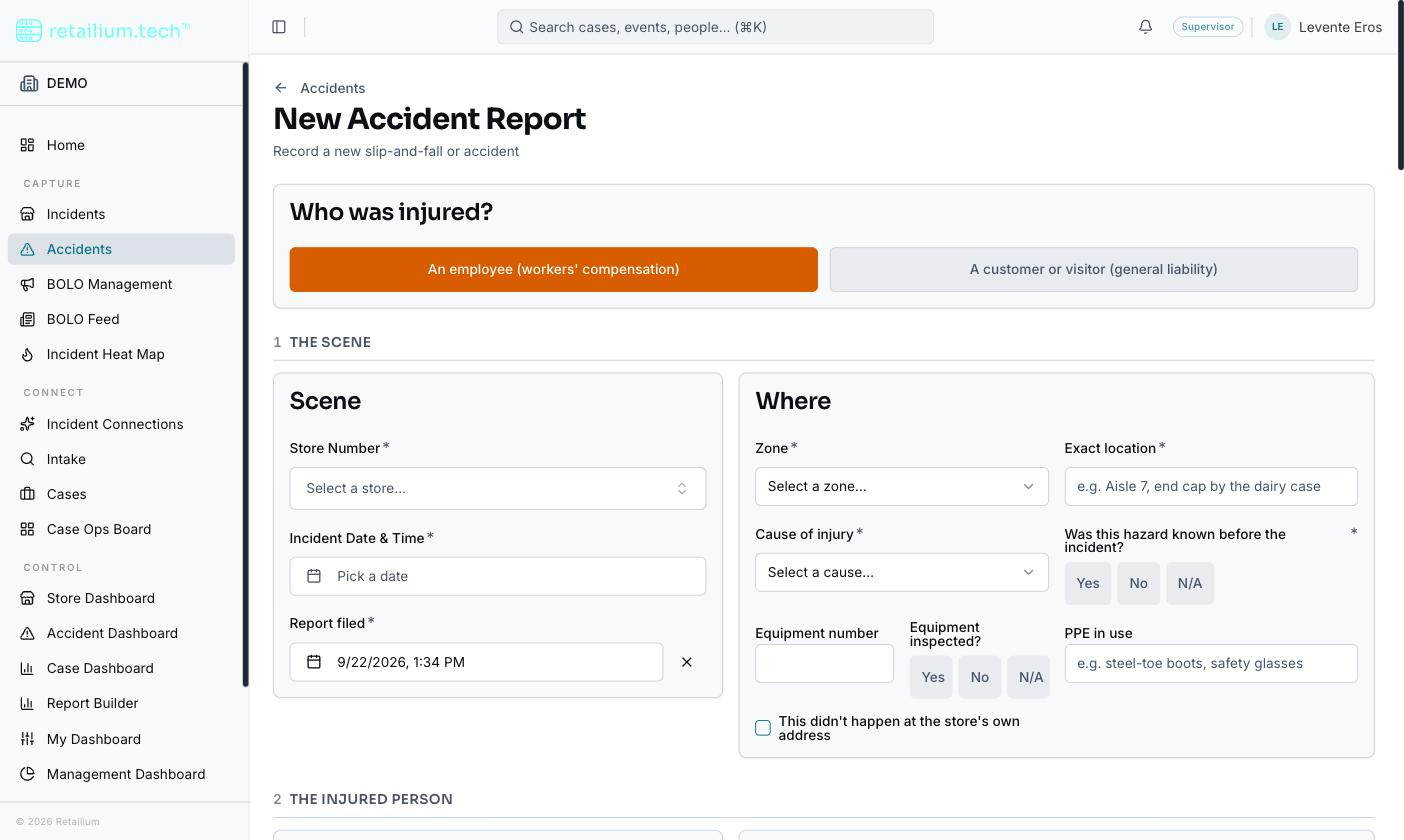
- On the Accidents list, select New Accident Report.
- Answer the track question first: is the injured person an employee (workers'-comp) or a customer/visitor (general liability)?
- Fill in the event details, add the injured party and any witnesses, vehicles, and attachments, then save. On save you land on the report's detail view.
The two narrative fields, the injured party's own account and the management/witness account, can be dictated hands-free where your browser supports speech recognition; every other field is typed.
What the platform requires before it can be filed
The intake form has a single save action, Create Accident Report, that stays disabled until every field the chosen track requires has an answer, with a running count and a "what's missing" list naming each outstanding field and why it matters.
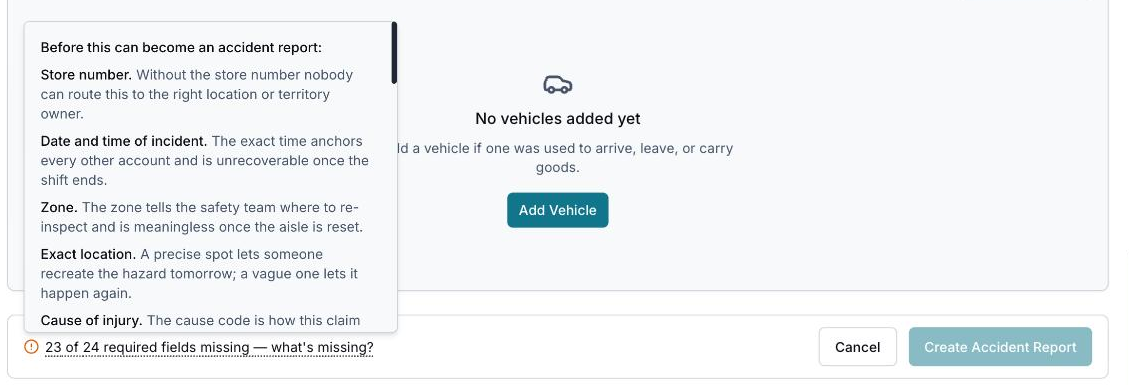
The required set is deliberately everything that decays: what only the person standing there can answer:
- Store number, and the accident's date and time are the minimum any report needs.
- "Was this hazard known before the incident?" is asked at the scene and required on both tracks.
- "Transported from the scene?" is required on both tracks; the destination is asked but not required.
- At least one photograph must be attached, on both tracks (verified by the file's contents, not its name).
- Once a vehicle is recorded, a photo of it must be selected before filing.
- If witnesses are present, at least one witness with both a name and an email is required.
- On the customer track: footwear, date of birth, email, and the claimant's activity at the time. A first question, "Did the injured person refuse to give their details?", is itself required; answering Yes releases the identity requirements. For a minor, all four guardian fields (name, relationship, phone, email) are required, and the minor's own identity fields stop being required.
Everything an insurer needs that someone else holds (wage, hire date, hours, the treating physician), is not asked at the scene and does not block filing. Outside weather and the employee's occupation are optional everywhere.
The report-filed time prefills to now, in your timezone (you are usually writing it up in the store). It stays editable: change it when recording an earlier accident.
One report, one injured party
A report records exactly one injured person; two injured people are two reports. Witnesses, injuries, vehicles, and attachments can each be multiple.
What happens on filing
- Every accident-report filing emails the addresses configured on your organization's employer profile (the Risk/HR audience) with the store number, the readable report ID, and a link to the report. If no addresses are configured, no filing email is sent. See Employer profile and carriers.
- Attachments accept Word, plain text, JPEG, PNG, HEIC, and PDF up to 20 MB each (a vehicle photo must be JPEG, PNG, or HEIC, one per vehicle). A rejected file is named with the reason; the rest still upload.
- If a photo or file fails to upload, the report still saves and you are told how many uploads failed, with a path to add them from the report page.
There is no draft save. A report cannot be saved half-finished: if you are called away mid-report, what you typed is lost. This is a known limitation the product team is tracking.