
Create BOLOs from a case
Summary: You will use a case's BOLO tab to create a BOLO pre-filled from the case's members.
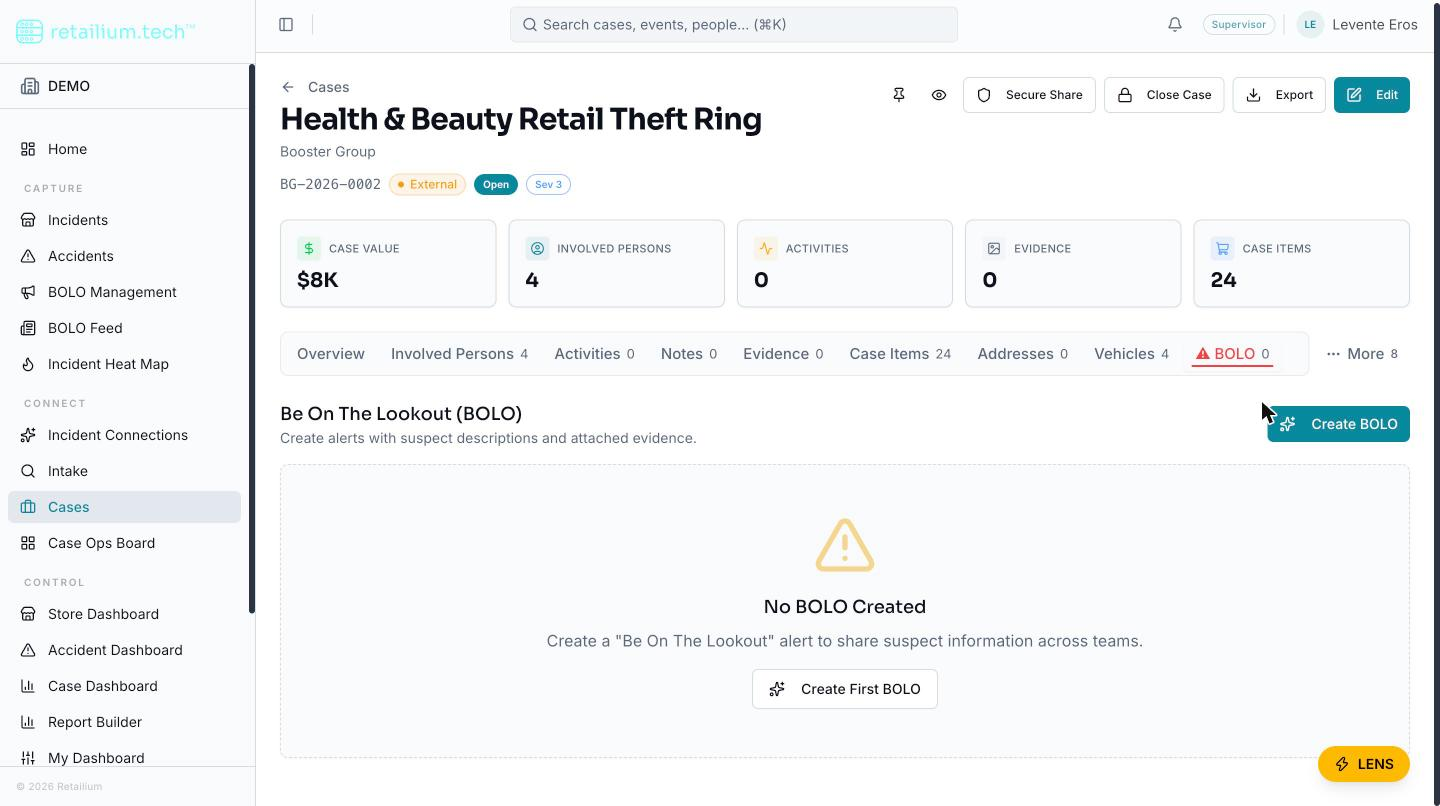
The BOLO tab (marked ⚠) on an external case is one of the two ways a BOLO is created in the platform: the other is from an incident's detail page. A BOLO started here is linked to the case and pre-filled from the case's members.
Create a BOLO from the case
- Open the case and go to the BOLO tab.
- Start a new BOLO. The form is pre-filled from the case's linked members: their photos and descriptions become the BOLO's persons of interest.
- Optionally, have the platform draft the alert text (title, description, incident summary, reason, and method of operation). The draft merges what you entered on each member with the AI's reading of any CCTV footage and photos, keeping conflicts attributed rather than silently resolving them.
- Review and edit every field.
- Save.
What to remember
- The facts come from the case; the alert lives on the BOLO. Editing the BOLO's wording never changes the case. Editing the case's members flows back onto the BOLO's fact-derived fields automatically, but the written suspect descriptions are a snapshot: refreshing them means running the text generation again.
- A BOLO survives the case. Once created, a BOLO is independent: it is not removed when the case is closed or when a member is deleted.
- This tab is also where a BOLO is deleted. Delete is available only here (not on the discovery list, feed, or detail page), to any role that can edit cases, after a confirmation. It is a soft delete an administrator can restore. See Edit a BOLO, set its status, or delete it.
- Drafted text is a snapshot. When the platform drafts a BOLO from the case, the text reflects the case narrative at that moment and does not re-derive: if the case narrative later changes, re-run the text generation to catch the BOLO up.
- BOLOs are organization-wide. Everyone who can view BOLOs sees this one, including people who could not open the case it came from. Team and case isolation do not partition BOLOs.
For everything a BOLO then does (editing, status, triage, sharing, and export), see the BOLO management section.