
Share and export a BOLO
Summary: You will address a BOLO to recipients across four channels and record the share, and separately export or print the BOLO sheet.
Important: Sharing records the distribution and builds the recipient list, but no message is actually delivered today. See "A note on delivery" below before you rely on it.
Share a BOLO
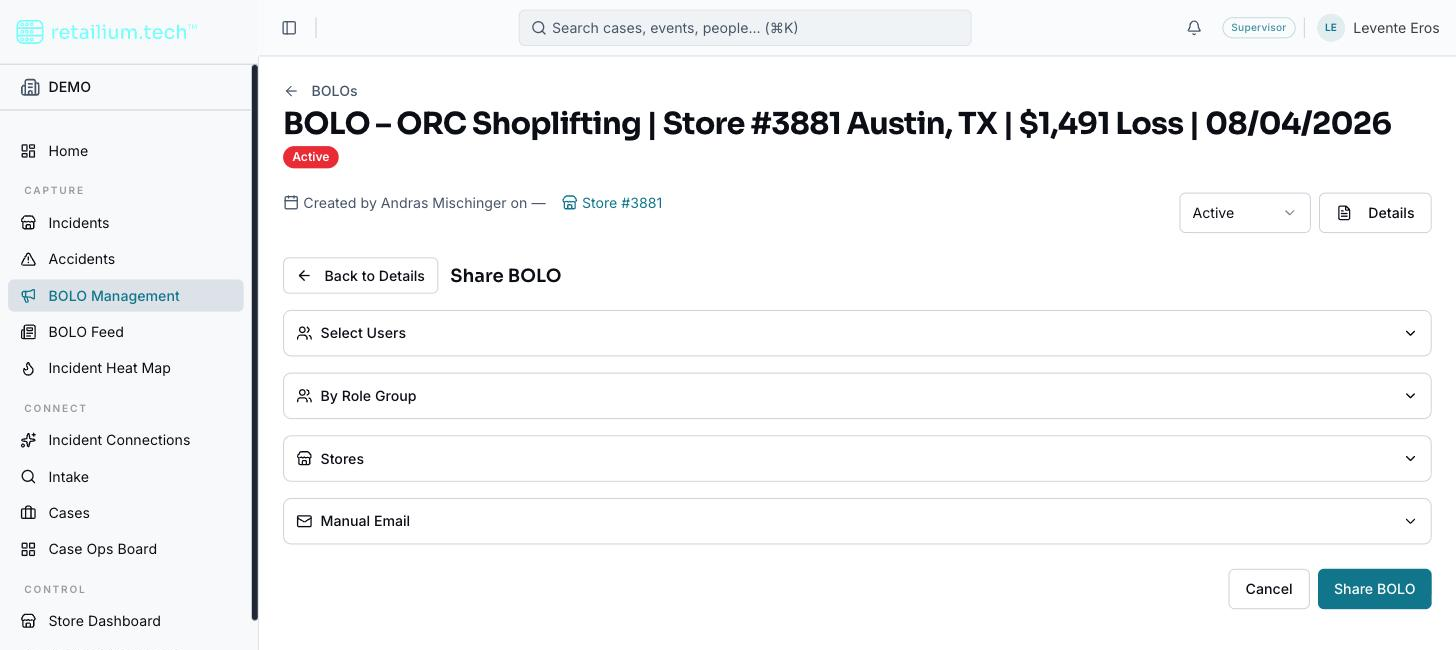
Sharing is done from the BOLO's own detail page, which switches its body to the sharing form. You can combine recipients across four channels into a single send:
- Open the BOLO and select Share.
- Choose recipients from any of the four channels: - Individual users: search internal users by name or email; each becomes a removable chip. - Role group: distribute to everyone holding a chosen role. Choosing a group shows how many users it resolves to and names them. - Store locations: search stores by number, name, city, or state, or bulk-select by City, State, Area, Region, District, or Brand. The selected store's manager and contact are shown. - Manual email: free-text addresses separated by commas, semicolons, or newlines, up to 100. Invalid addresses are highlighted and block sending until fixed.
- Review the pre-send summary. It states how many people, store managers, and email addresses will be notified, after removing duplicates: a recipient reached through more than one channel is counted once.
- Select Send. The share is recorded in the share history and a success message appears.
A note on delivery
The recipient list is resolved, de-duplicated, capped, and recorded in the share history, and that is where the flow ends. Nobody is actually notified, by email or otherwise. The delivery path was removed with an earlier integration and has not been rebuilt, so the success message overstates what happened. Treat sharing as a way to build and record a distribution list, not as a way to send the alert. To get a BOLO to people today, export the sheet (below) and distribute it through your own channels.
The share history
The detail page shows a permanent, chronological record of every share: date, sender, target group or address, and share type. It is an audit trail: entries cannot be edited or deleted by anyone, including administrators. It is visible to anyone who can view the BOLO.
Export or print the BOLO sheet
- On the BOLO detail page, select Print / Export.
- A preview of the finished BOLO sheet opens in a dialog.
- From the preview, download it as a PDF or send it to a printer.
The preview, the download, and the print are the same document, so what you preview is exactly what prints. The sheet covers the header, store and status strip, incident summary, reason, persons and vehicles of interest, method of operation, and disclaimer. Empty sections are left out, and a photo that cannot load is skipped while the rest still renders.
Your organization's logo, colors, header, footer, and page numbers come from its export branding configuration. Exporting requires nothing more than being able to view the BOLO.