
My Dashboard
Summary: You will create one or more named personal dashboards, add widgets to them, and arrange the layout.
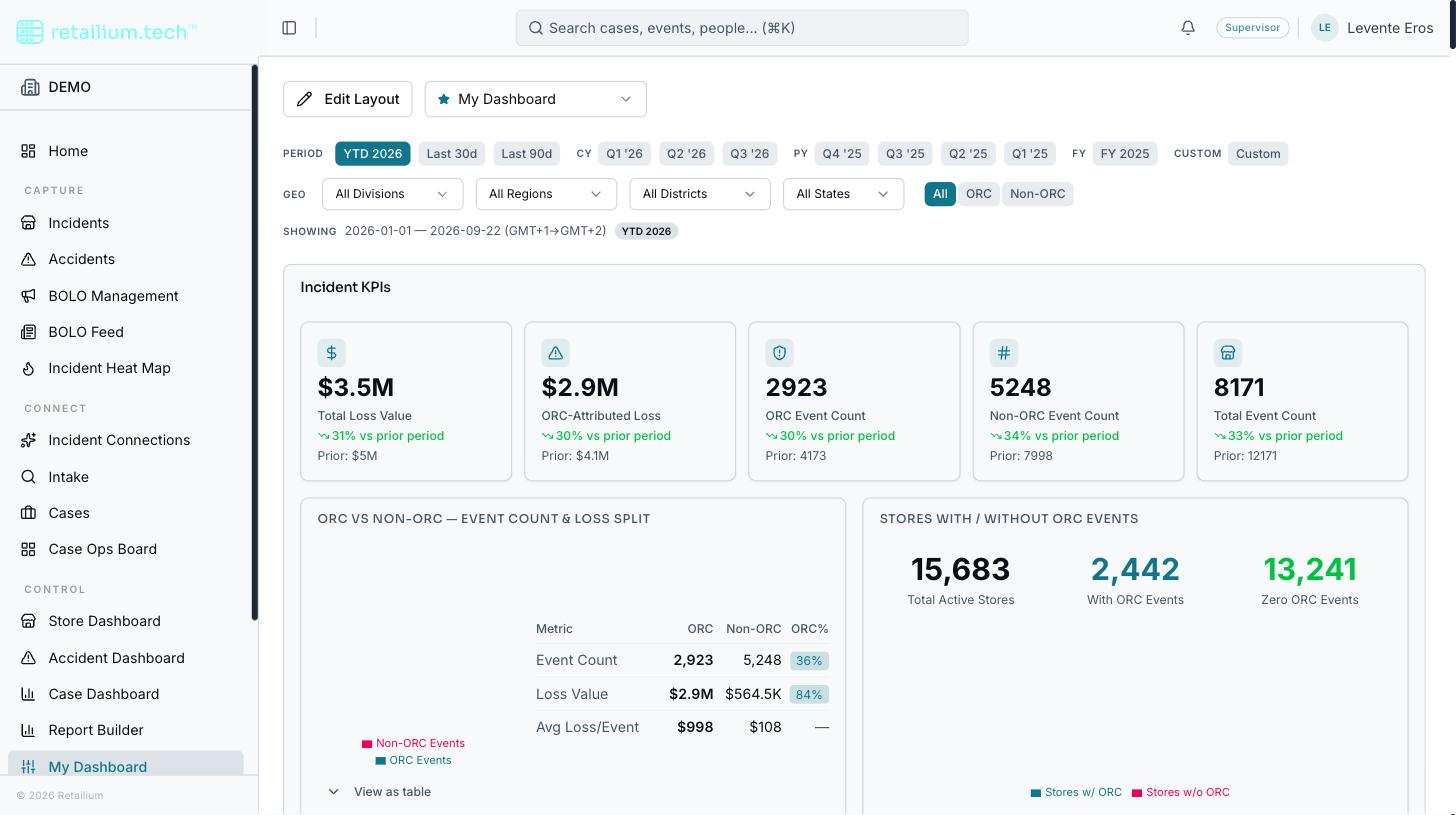
My Dashboard is a personal canvas where you choose which widgets appear, set their layout, and save the arrangement under a name: for example "Morning Briefing" or "Executive View." You can keep several named dashboards and switch between them.
Who can reach it
Platform Administrators, Administrators, Supervisors, Managers, ORC Analysts, Investigators, Store Coordinators, and the field asset-protection roles can reach My Dashboard. It is an operational-tier surface, so unlike the reporting dashboards, Investigators do get it.
Create and switch dashboards
- Switch between your dashboards from the dropdown at the top.
- New Dashboard at the bottom of that dropdown creates a blank one, pre-named with the next number in sequence.
A dashboard belongs only to you. There is no sharing, publishing, or copying a dashboard to a colleague, and no organization-wide default layout.
Arrange the layout
The dashboard has two modes:
View mode (the default) renders live data, with no drag handles or edit controls.
Edit mode (via Edit Layout) is where you arrange widgets. In edit mode:
- Every widget fills with static sample data: no live figures are fetched while you arrange, and a banner says so, so a placeholder is never mistaken for a real number.
- Each widget gains a drag handle, six width choices (a quarter, a third, a half, two thirds, three quarters, or full), and a remove control.
- The widget library opens alongside, so you can add widgets.
- Select Done to return to View mode, where all widgets reload live data.
Saving is automatic
Layout changes save themselves one second after your last drag, resize, or toggle. There is no explicit save button and no discard: an arrangement cannot be abandoned once made.
What you might see
- Nothing added yet: "No widgets on this dashboard," inviting you to add one.
- Still loading: a placeholder skeleton, so a slow dashboard and an empty one never look the same.
- Failed to load: a plain error with a retry.
- Deleting a saved dashboard is permanent: it is confirmed first, and there is no restore afterward.