Summary: You will create an internal case by answering a short guided intake, which routes the case onto either the pharmacy or front-store path.
What an internal case is
Internal cases cover loss originating inside the business: pharmacy diversion and front-store loss. They use a dedicated workspace instead of the external case shape, with a journal, resolution tracking, and (on the pharmacy path) regulatory sections.
One internal case type covers both paths. Pharmacy (Rx) and Front Store (FS) are not separate case types: they are two paths through the same type.
Create the case with guided intake
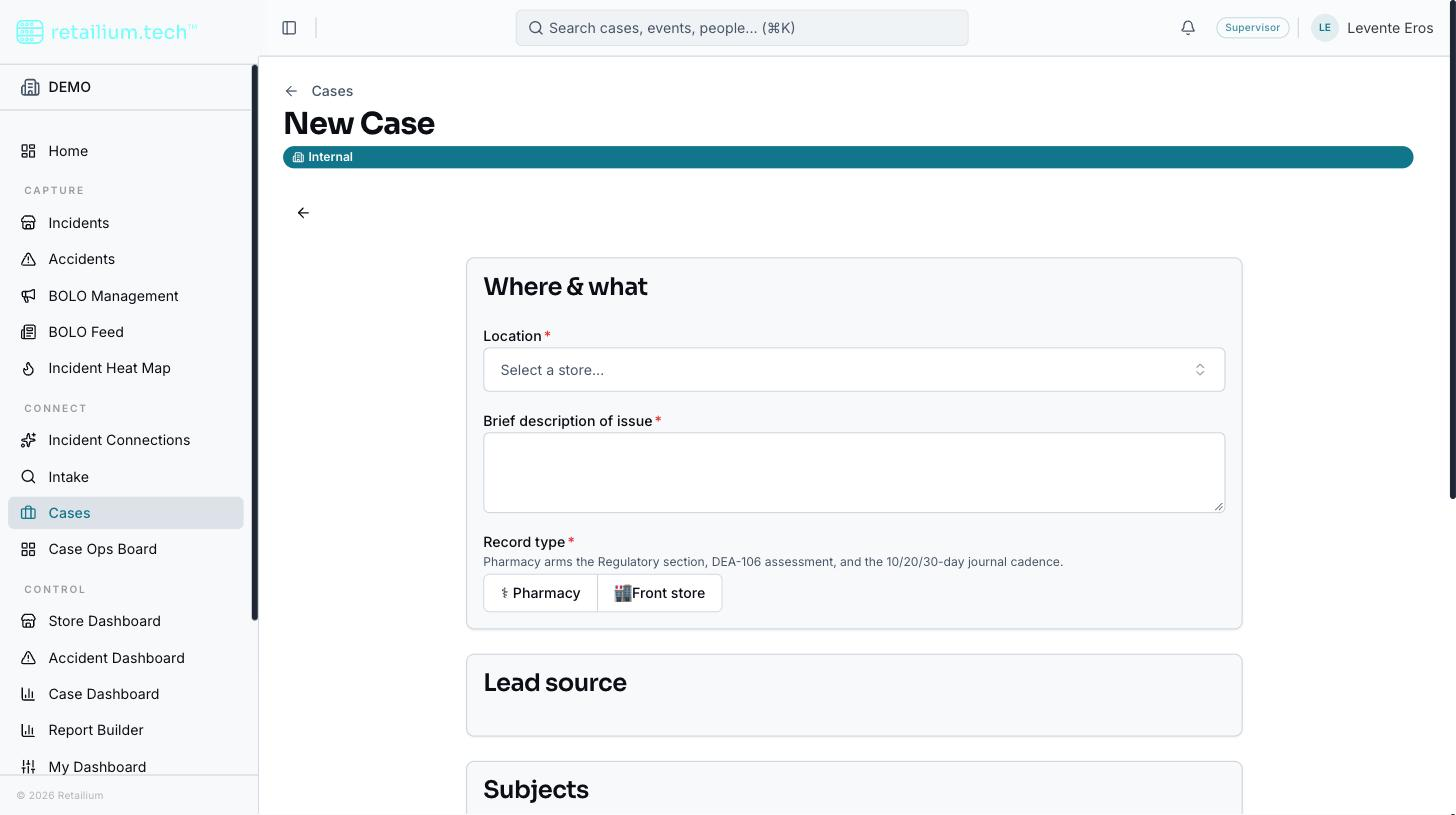
Start a new internal case. Guided intake asks a single Record type question, as an explicit two-way choice: Pharmacy or Front store.
Choose the record type. This routes the case permanently onto the Rx or FS path.
On the pharmacy path, a second question asks whether controlled substances are involved. This arms the regulatory sections and the pharmacy journal cadence.
Enter where (the store) and what (a short description).
Create the case. A matching Pharmacy or Front Store label is attached automatically, alongside the Internal label.
The path is set once and does not change. Converting a case from one path to the other is not available today.
Guided intake records no incident date, deliberately. A case is an aggregation of incidents, not one incident, so "when it happened" lives on each linked incident, which records a real moment and timezone. A case with no linked incident therefore has no recorded incident timing anywhere. That is expected, not a gap.
The guided internal-case intake, with the Record type picker offering Pharmacy and Front store
The path-driven workspace
Which sections appear, and which fields they require, depends on the path and a few case facts (whether a subject is identified, whether an interview admission exists, whether the case is open).
Both paths: lead identification, narrative, case items, evidence, resolution, law enforcement.
Pharmacy only: the Regulatory tab (controlled drugs and reconciliation), a pharmacy loss summary, and pharmacy close reasons.
Front store only: front-store loss and recovery, case traits (fraud versus theft), and front-store close reasons.
Either path: civil recovery, which opens only once an interview admission has been recorded.
A hidden section is never required, never written, and never included in AI summaries. If a section becomes hidden after you entered data, that data is preserved: it just stops showing until the section is visible again.
Working a case before you have a subject
You can create and work an internal case before anyone is identified. The civil recovery section simply stays closed until an interview admission exists: this is an expected state, not an error, and it blocks nothing else. You can log an interview and its admission as soon as the interview happens, without a subject on file.
The journal cadence indicator
Internal cases show a cadence indicator on the Journal tab (and, on the pharmacy path, in the header): 10 / 20 / 30-day flags and an Overdue state, computed from how long since the last journal entry, or since the case opened, when there is no entry yet. Front-store cases show a neutral "last entry N days ago" instead.
This is read-only and informational. Nothing is scheduled and no notification is sent.
Good to know
The header shows the path. An internal case shows a Pharmacy or Front store marker in the header, plus (on the pharmacy path) the journal-cadence chip. A subtle color accent (amber for pharmacy, blue for front store) keeps the path visible as you scroll.
A pharmacy case shows a DDM prompt: a dismissible banner asking whether district/divisional management has been notified. The dismissal is remembered per case, per browser; it is a soft reminder, and nothing records whether the notification actually happened.