
Create a BOLO from an incident
Summary: You will open an incident, generate a BOLO pre-filled from that incident's own fields, edit it, and save it.
Prerequisites
- A role that can create BOLOs: Administrator, Supervisor, Manager, Investigator, Store Coordinator, or Regional/District Asset Protection Manager.
- An existing incident to work from.
Create the BOLO
- Open the incident from the Incidents list.
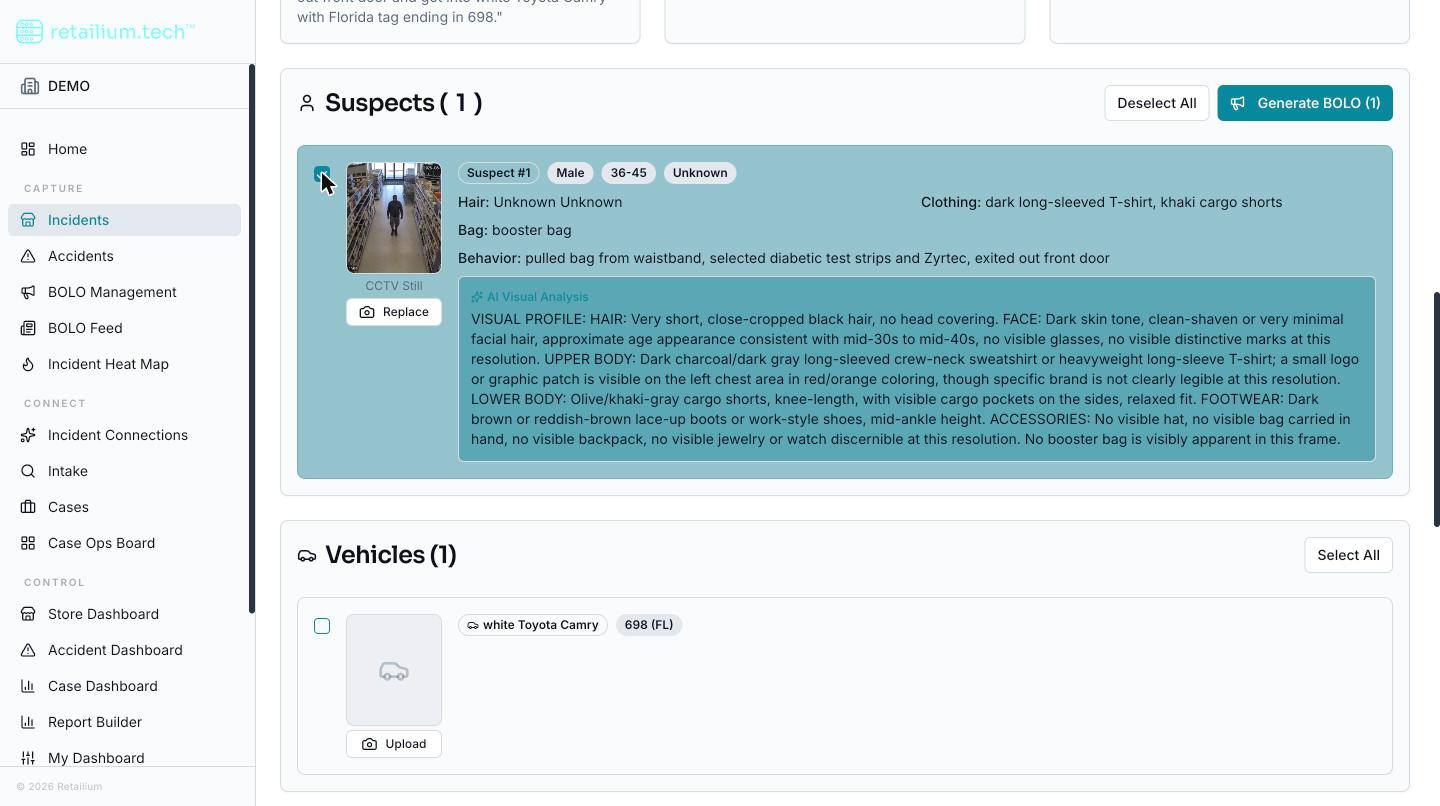
- Select Generate BOLO.
- The dialog opens pre-filled: a title, the standard disclaimer, and a per-suspect description assembled from the incident's own structured fields: name, gender, age, build, height, hair, and clothing.
- Review and edit anything in the dialog.
- Save. The BOLO record is created and linked to this incident.
How the description is generated
The platform tries to write a better-reading visual profile and summary from the incident's data. If that is unavailable (for example, the AI service is briefly down), the dialog quietly falls back to the plain assembled description. You are not shown an error; you simply get a description to edit either way.
If you added a suspect photo to the incident after it was created, its automatically generated description is reused here, so appearance does not have to be typed twice.
Good to know
- A BOLO does not require an incident. You can equally start one from a case, see Create a BOLO from a case.
- BOLOs are created during document import? No. A BOLO is only ever generated from the incident detail page after the incident exists, never during import.
- A vehicle's generated description is not yet used in BOLO generation, even though it is recorded. Only suspect descriptions carry over automatically today.